Retirement
Everyone’s thank-you,
sealed until the last day.
The card that goes round the office reaches half the building, and most of it says “Enjoy it!” Sendoff gathers what people actually want to say, from everyone who worked with them, and keeps it sealed until the day they leave.
Coming soon to the App Store.
Organizers start one in the iPhone app. Everyone else just needs the link.

Retirement
Maria Reyes
From the whole fourth floor
How it works
Four steps, one link.
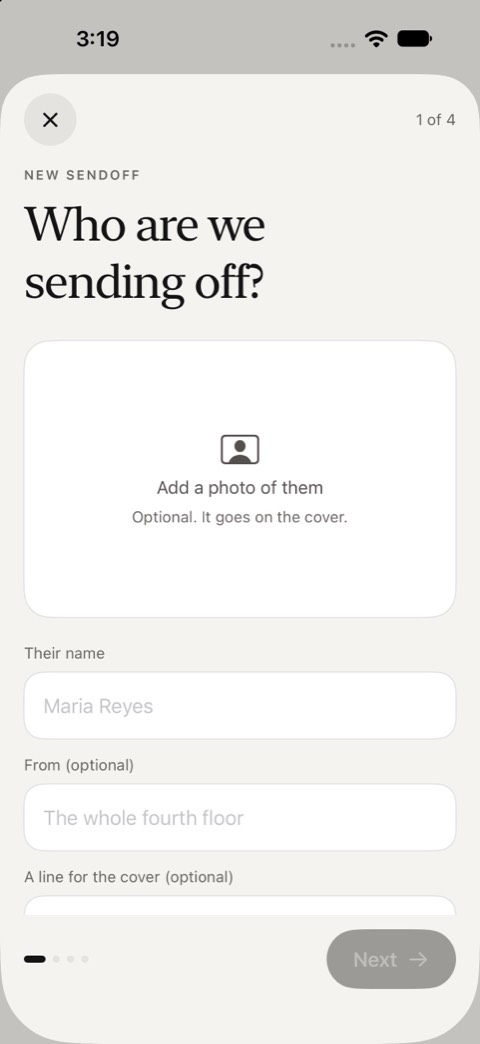
Start it in the app
Who it is for, a photo if you like, and when it opens: on a date, or when you say. It takes a couple of minutes on iPhone.
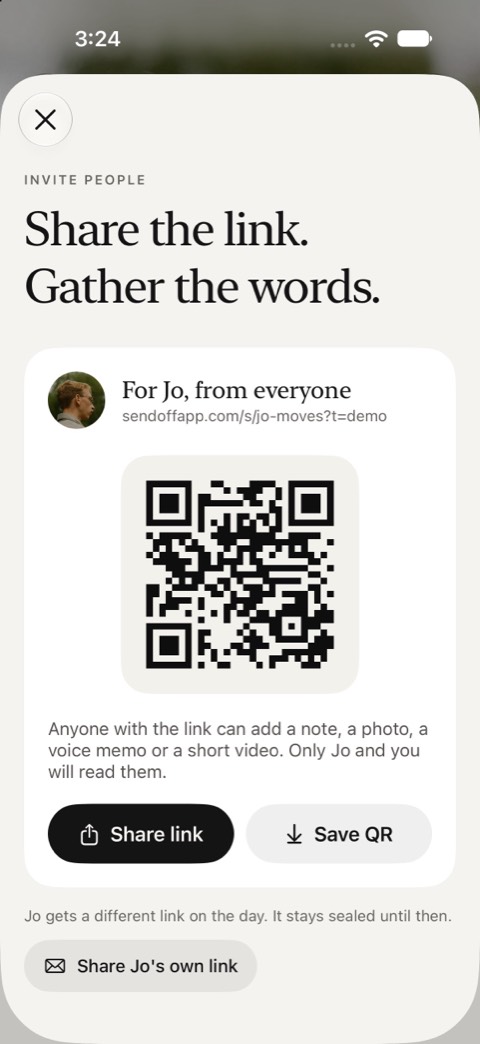
Share one link
Send it wherever your group talks, or print the QR card for the break room or the inside of a real card.
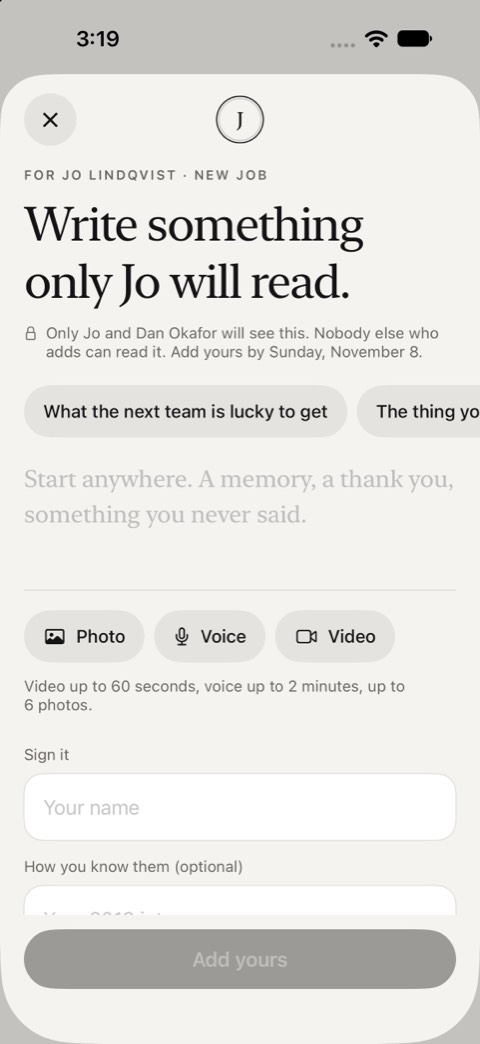
Everyone adds privately
A note, photos, a voice note or a video, from any phone or computer. No account, no app.
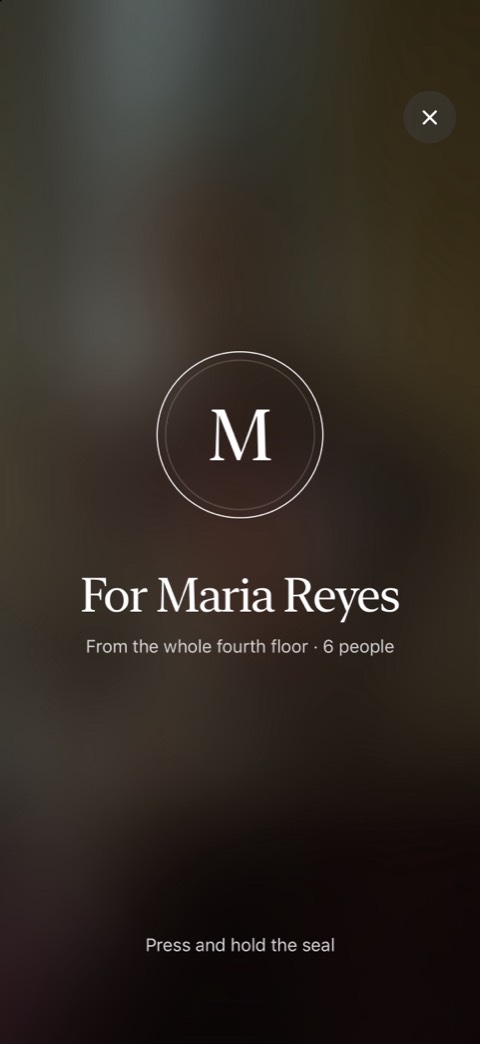
They open it on the day
It stays sealed until then. They press and hold the seal, and the entries open one at a time.


What goes in
More than a signature.
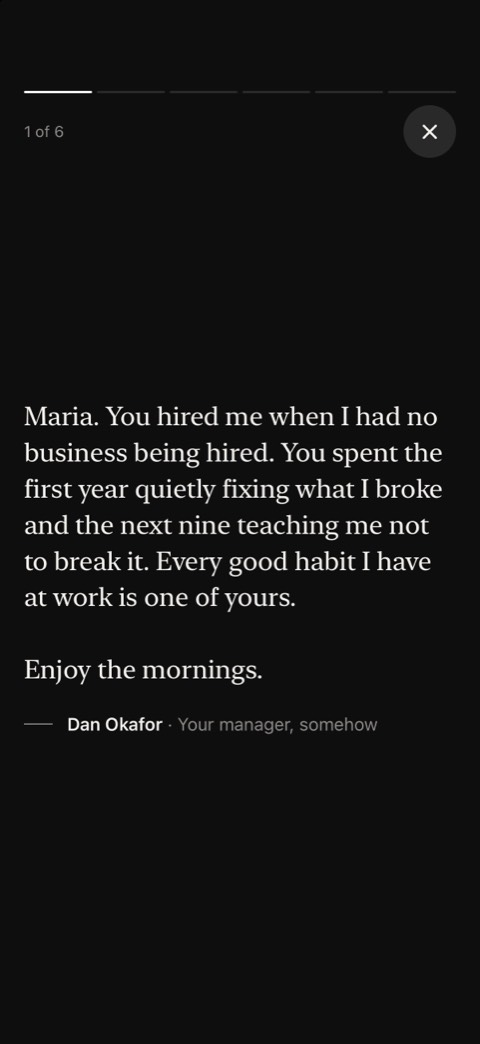
A note
Written for one reader, not the room.
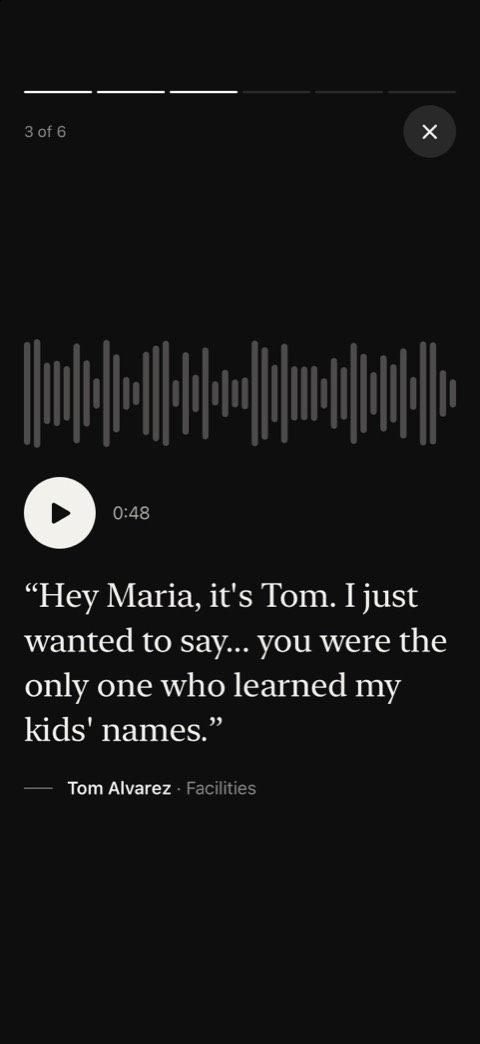
A voice note
Up to two minutes. The part people replay.
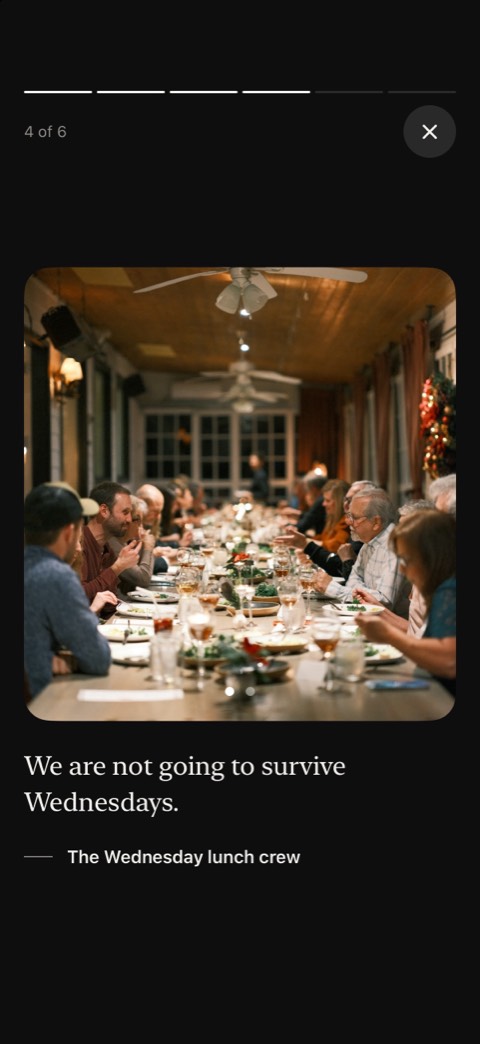
Photos and video
Up to six photos with each entry, or a minute of video.


Retirement
Everyone who worked with them
A retirement reaches further than the current team. Send the link to the people who trained them, the ones who moved on years ago, the client who always asked for them by name. They add from any phone or computer, with no account and no app.
Hearing a voice is different. A voice note from the person who hired them in 1994 does what a signature cannot; so does a photo from the old office, or a minute of video from the team overseas.
Retirement
On the day
They press and hold the seal, and the entries open one at a time: each note, photo, voice and video on its own, not a wall of posts to scroll past. Open it together at the leaving lunch on a laptop, or let them read it alone that evening.
Prompts
Something to start from.
Anyone stuck on where to start gets a few prompts, written for the occasion.
- What did they teach you?
- A moment you’ll never forget
- What the place will miss
- Advice for the first Monday off
Cost
Free to start.
Starting one and collecting up to 10 entries is free. When more people want in, the organizer pays once for that Sendoff: $8.99 for up to 100 entries, or $14.99 for no limit, every paid look and a song from Apple Music. Nobody who adds to it or opens it pays.
Running these for a whole company or school? Sendoff for teams covers every one for a year.
Questions
Before you start.
When should we start one?
Two or three weeks before the last day gives people time to find a photo or record something. Set it to open on the day, or open it yourself when the moment comes.
Does everyone need the app?
No. Only the organizer uses the iPhone app, to start it and share the link. Everyone else adds from the link or a QR code in any browser, with no account. The person it is for opens it on any phone or computer.
Who can read what people write?
Only the person it is for and the organizer. People who add cannot read each other’s entries unless they choose to share theirs with the others who added.
What does it cost?
Starting one and collecting up to 10 entries is free. Sendoff ($8.99) holds up to 100 entries and Sendoff Plus ($14.99) has no limit. The organizer pays once, in the app; nobody who adds to it or opens it pays.
Can they keep it?
Yes. After the day it stays theirs to come back to, and they can print it or save it as a PDF.
Everyone adds privately.
One person opens it, on the day.
Coming soon to the App Store.
Organizers start one in the iPhone app. Everyone else just needs the link.